Development and deployment in ThoughtSpot
Table of Contents
When deploying embedded analytics, each organization will have defined practices for development, testing, and deployment of content to ThoughtSpot.
ThoughtSpot instances act as a constantly running service, so deployment only involves ThoughtSpot data models and content.
ThoughtSpot provides numerous tools for building a structured deployment process, built around the ThoughtSpot Modeling Language (TML) format for representing the objects within ThoughtSpot.
Overview🔗
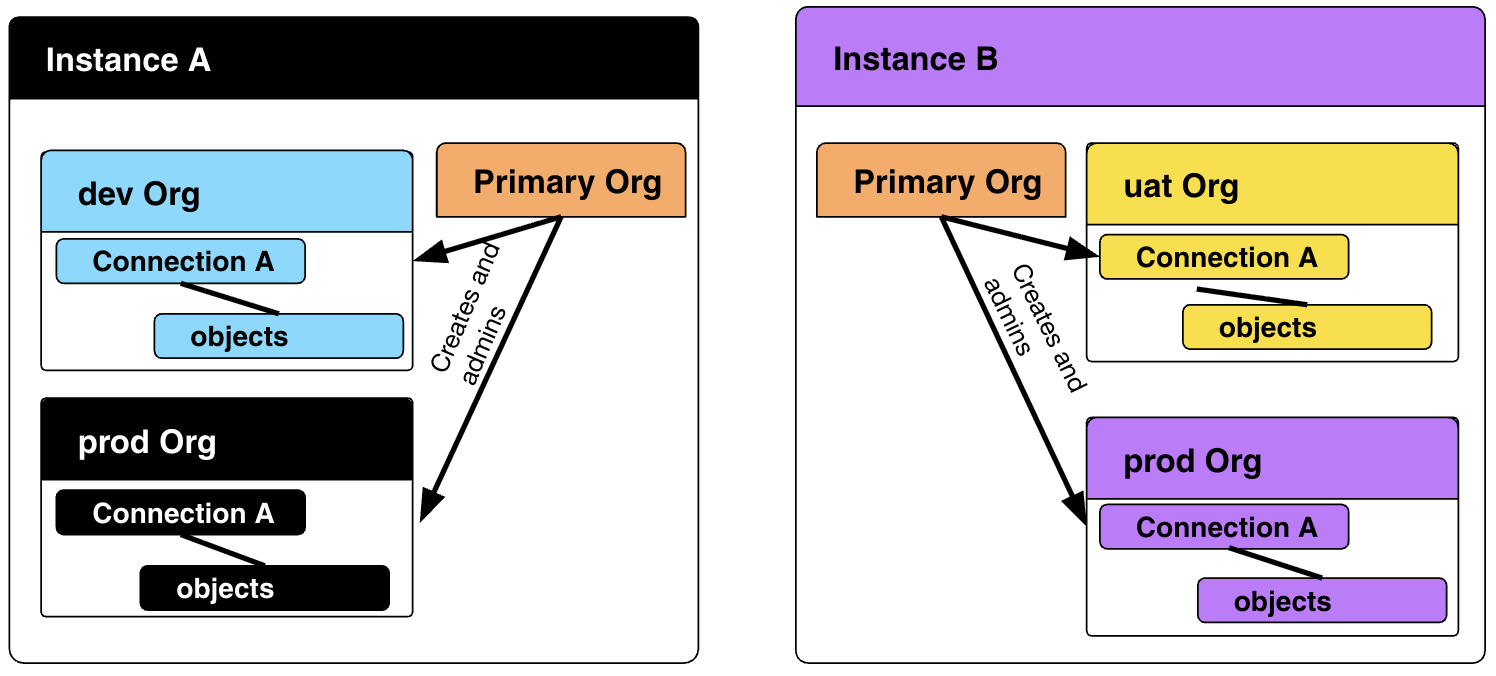
ThoughtSpot may provision your organization one or more separate instances, each with an individual URL.
Within a ThoughtSpot instance, the administrator of the Primary Org can create any number of logical tenants called Orgs.
Orgs are fully separated tenants on a single ThoughtSpot instance. For TSE customers and others who need a structured development and deployment process, Orgs should always be enabled.
By setting the obj_id property of objects, objects in various Orgs that are related copies of one another will have the same obj_id, allowing for tracking related objects and updating them without concern for each object’s unique GUID.
|
Note
|
ThoughtSpot does not recommend TML export and import from a newer version of ThoughtSpot to an instance on a previous version, because the TML syntax, supported features, and object schemas can vary between releases and can sometimes lead to compatibility issues and validation errors. |
Version Control🔗
Version control is the process of tracking changes that occur to objects in ThoughtSpot.
A single branch in Git can be used for version control of a single Org in ThoughtSpot.
ThoughtSpot provides a GitHub-based automated version control in the UI for Liveboards and answers or a customized process can be built using the TML Export API to any Git provider.
It is best to use separate branches or even repositories for the UI automated version control and direct REST API processes.
When using the TML REST APIs and a Git provider, you can also implement version control branches, but they should be separate from the "deploy branches":
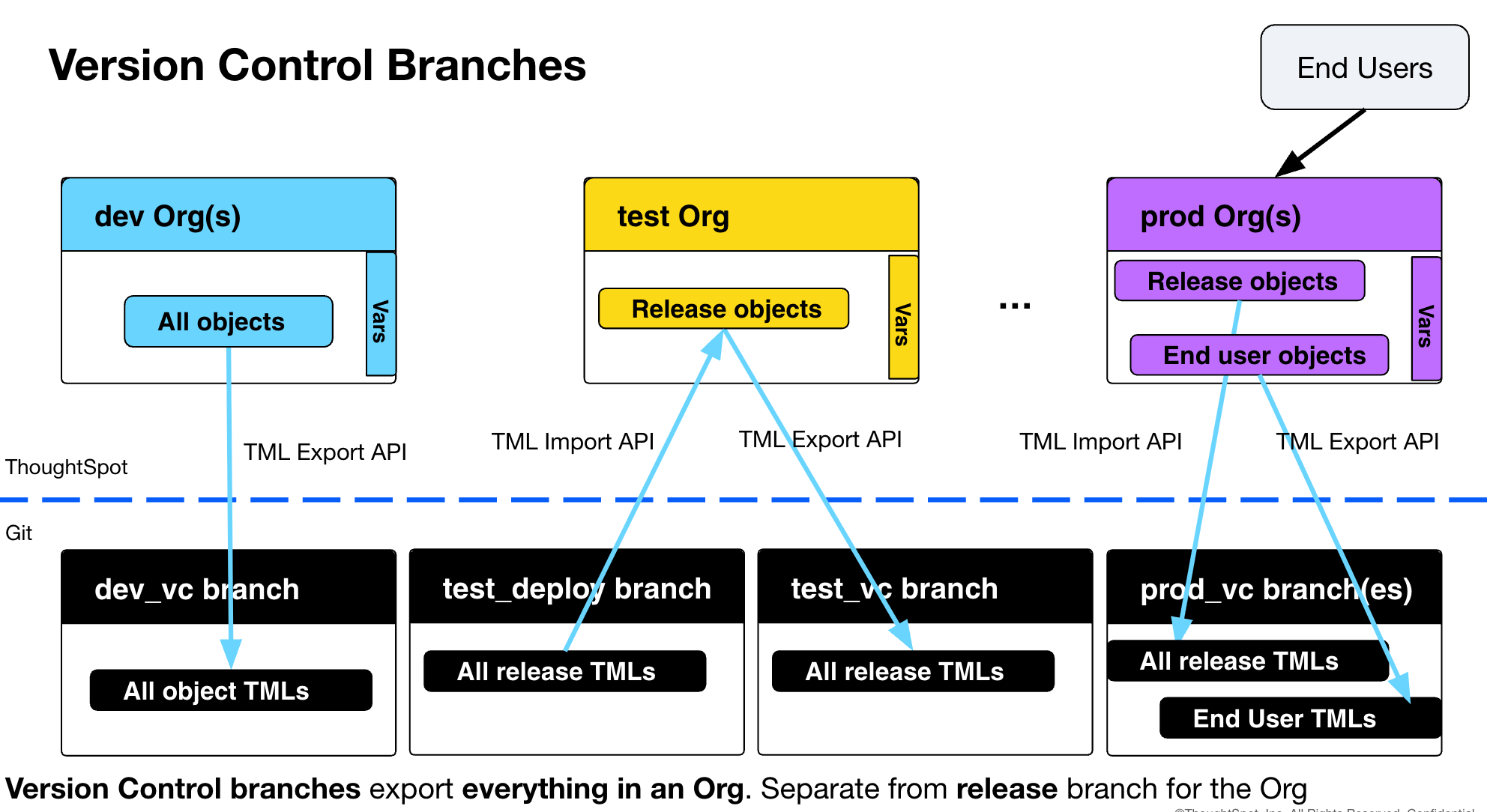
It is important to have a version control branch for any "prod" Orgs with end user created content, which otherwise will not be archived in any way.
Deployment🔗
Deployment is the process of making copies of objects from one Org to another Org.
Deployment is used in the process of building a release from a dev Org and then deploying copies of the release objects via TML to test, uat, and eventual prod Orgs.
The TML Export and Import APIs allow customizable release and deployment processes to integrate with any Git provider.
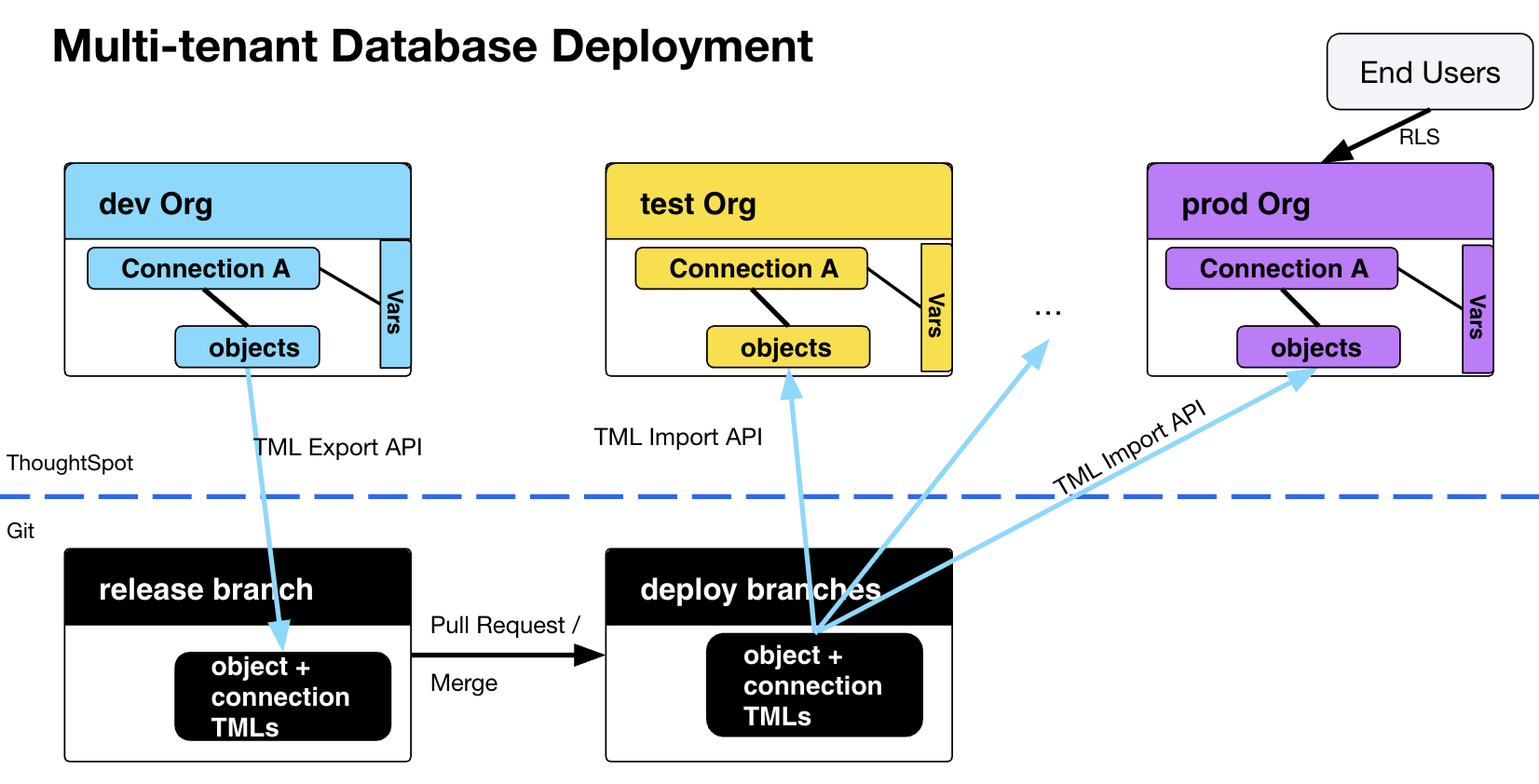
The standard deployment pattern for a multi-tenanted prod database is shown below. RLS rules will filter the shared data models on the "prod" Org so that standard LBs and Answers only show the right data for each end customer, who are all only added as users to the "prod" Org.
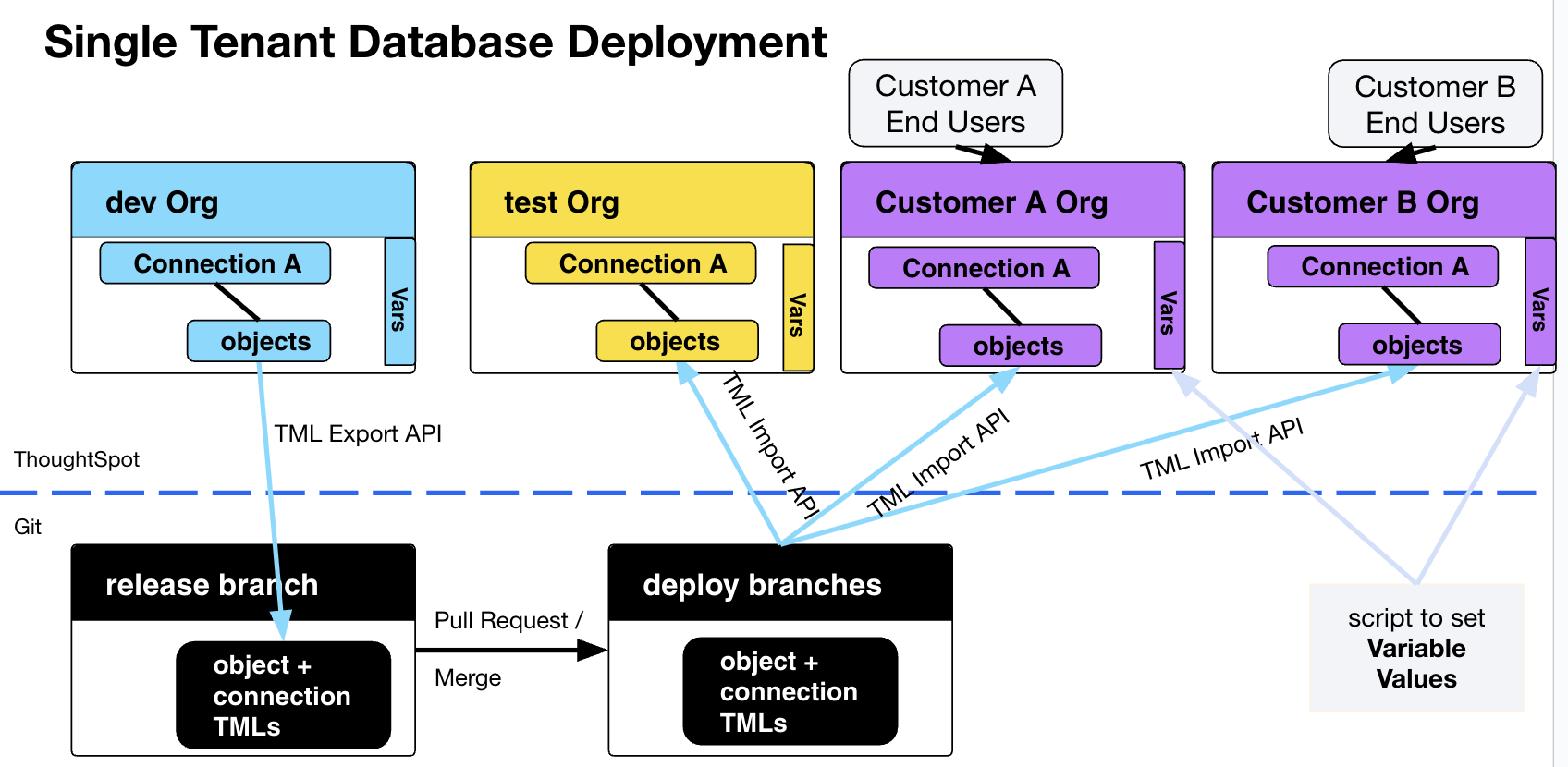
In a scenario where end customer databases are single-tenanted, an Org can be created programmatically matching with the level of tenant separation, so that there is an Org representing each separate logical database.
There are two techniques for managing Orgs for single-tenanted databases:
-
Publishing
-
Deploy to each Org using TML Import
Publishing🔗
Publishing makes objects available in other Orgs without making copies.
Variables can be set at the Org level to override the Connection and Table object details for Publishing objects when they are accessed in a specific Org. Variables for connections and tables work with both Publishing and TML Import.
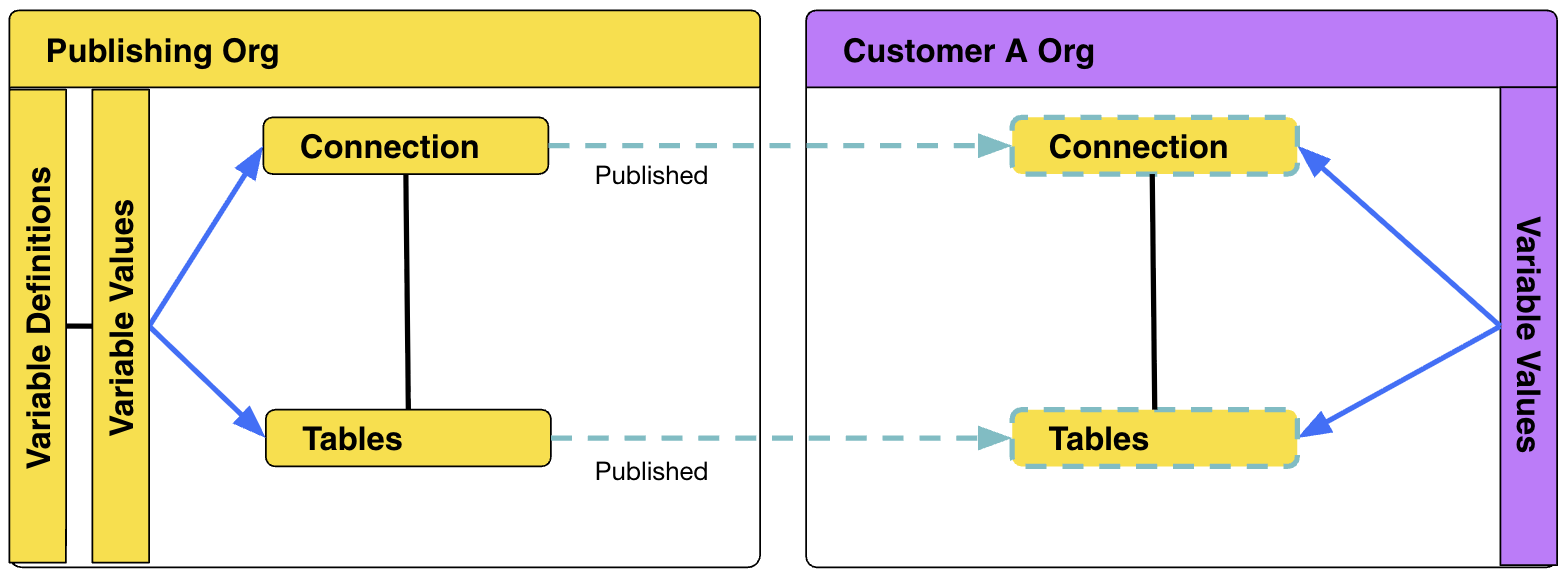
With single-tenanted prod Orgs, the Publishing feature allows the final deployment step to import TML into the publisher Org, updating the Published objects, which instantly updates the objects in every Org the objects are published to.
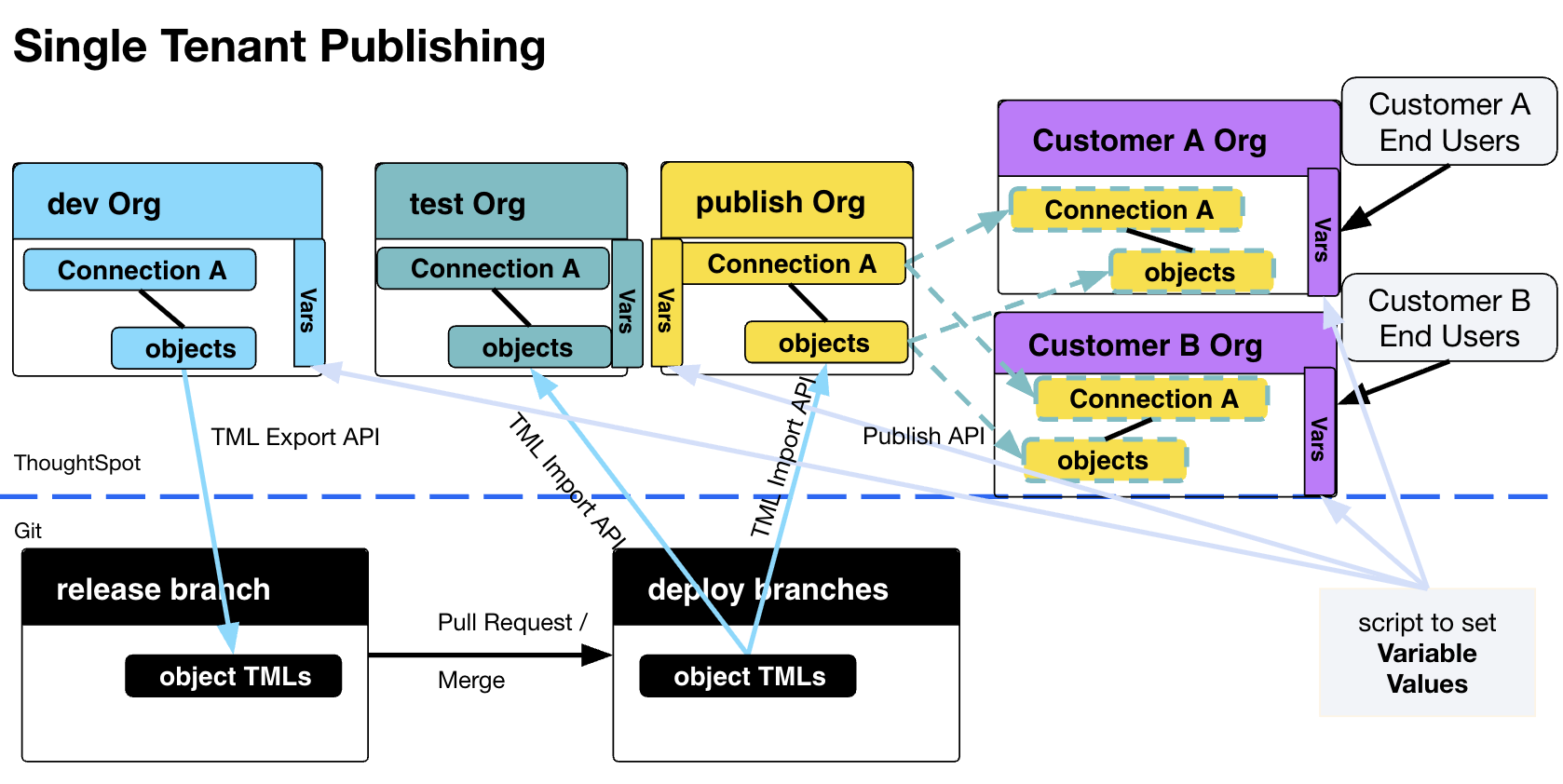
If there are structural differences within the various databases that make Publishing unviable, the TML Import process can be used to deploy unique copies of the release TML into each Org. This process may also include modifying the release TML to introduce variation into the objects that are deployed.